Digital signage for Google TV Hey Google, make this TV a sign.
Okay, Google won’t do it for you. But it takes about two minutes: install Ya Screen on your Google TV, type a code on your phone, and your menus, promos and videos are on the screen. No extra box needed.
10 screens free. Works on Chromecast with Google TV, Google TV Streamer and Google TV smart TVs.
Two ways to install on Google TV.
Pick the quick one or the full one.
Ya Screen Play, from Google Play
Search Ya Screen in the Play Store and install. Fastest way to try it on one TV.
Ya Screen Direct, from yascreen.com
The full player: reopens after a power cut, Pro mode lock-down and silent updates. Install with Downloader code 8883304.
In the Downloader app on your TV, type
Got a TV? Ya got a sign.
Three steps. About five minutes per TV.
Install Ya Screen
Search Ya Screen in the Play Store, or use Downloader code 8883304 for the full Direct version.
Type the code
Ya Screen shows six digits. Type them on your phone. Paired.
Add your stuff
Pictures, videos, menus. It’s on the TV in seconds.
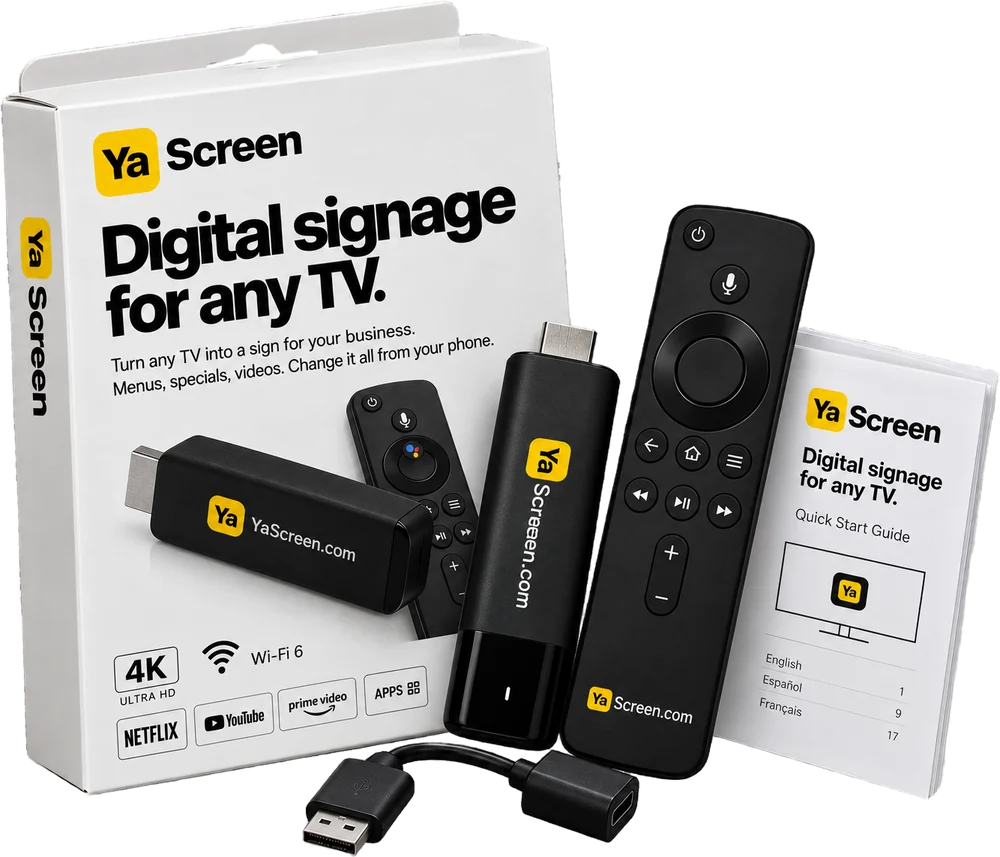
Preloaded Ya Screen player
TV doesn’t have Google TV? Ya, no problem.
Plug our preloaded Android player into any TV with HDMI. Ya Screen Direct is already on it. Type the code and you’re live.
Cheap. Simple. Sharp. Ya.
The cheapest way we know to put a real sign on a TV, and it still looks like a million bucks.
$0 software, 10 screens
Free with every feature. Then $52 a month for 10 screens, or $6.49 for each one after.
Runs off the TV’s USB
The Ya Screen player powers from the TV’s USB port on most TVs. No outlet, no power strip, no cord across the floor.
Smaller than a candy bar
No PC, no media box, no server closet. One stick hides behind the TV.
Install it or buy it
Install free on a Fire TV Stick or Android TV, or get one preloaded for $99.99. Your call.
4K, if you’ve got it
Upload 4K pictures and videos and they play crisp on a 4K TV. Short loops look great on every plan. Free takes videos up to 25MB and Basic up to 30MB; bigger 4K files need Pro.
Videos and pictures
MP4 videos, JPGs and PNGs, even web pages. Mix them in one playlist.
Upload it yourself
Drag in your files from a phone or computer. It’s on the TV in seconds.
Or have it managed
Rather not? Hagens Media can make your signs and keep them fresh for you.
What your Google TV can do.
Schedules
Breakfast, lunch, happy hour. It switches by itself on every plan.
Offline playback
Everything is saved on the TV, so it keeps playing if Wi-Fi drops.
Tall or wide
Hang it portrait and turn the picture with one tap.
Video walls
Two or more TVs, one big picture.
Questions? Ya, we got you.
Can I use Google TV for digital signage?
Is Ya Screen on the Google Play Store?
Which version should I use for a business?
Do I need developer mode on Google TV?
Can I cast to the TV instead?
How much does it cost?
Ya Screen works for a lot of places.
If it has a TV, it can be a sign.
Make that TV earn its spot. Ya.
Start free with 10 screens. No card.