Digital signage for education Hallway TVs that actually do their homework.
Announcements, lunch menus, game days and the bus that’s running late. Put it on every screen in the building from your phone, and let the schedule run itself so the front office can get back to the front office.
10 screens free. No card. No permission slip.
What schools put on the screens.
From the front lobby to the cafeteria to the teacher’s lounge.
Daily announcements
Spirit week, picture day, clubs meeting after school. Swap them in from your phone before first bell.
Cafeteria menus
Today’s lunch on the cafeteria TV. Schedule the whole week on Monday.
Bell and event schedules
Late-start days, assemblies, game times and parent nights, each on its own schedule.
Student shout-outs
Honor roll, athletes of the week, the robotics team that won. Kids notice.
Student videos and art
Run the broadcast club’s video or a slideshow of the art show on the lobby screen.
Messages for staff only
A separate playlist for the teacher’s lounge TV: meetings, reminders, birthday cake in room 114.
Got a TV? Ya got a sign.
Three steps. About five minutes per TV.
Plug in a player
Any TV with HDMI. Use a Fire TV Stick, an Android TV box, or the preloaded Ya Screen player.
Type the code
The TV shows six digits. Type them on your phone or laptop.
Build the week
Upload announcements and menus, then schedule them. Done before the coffee’s cold.
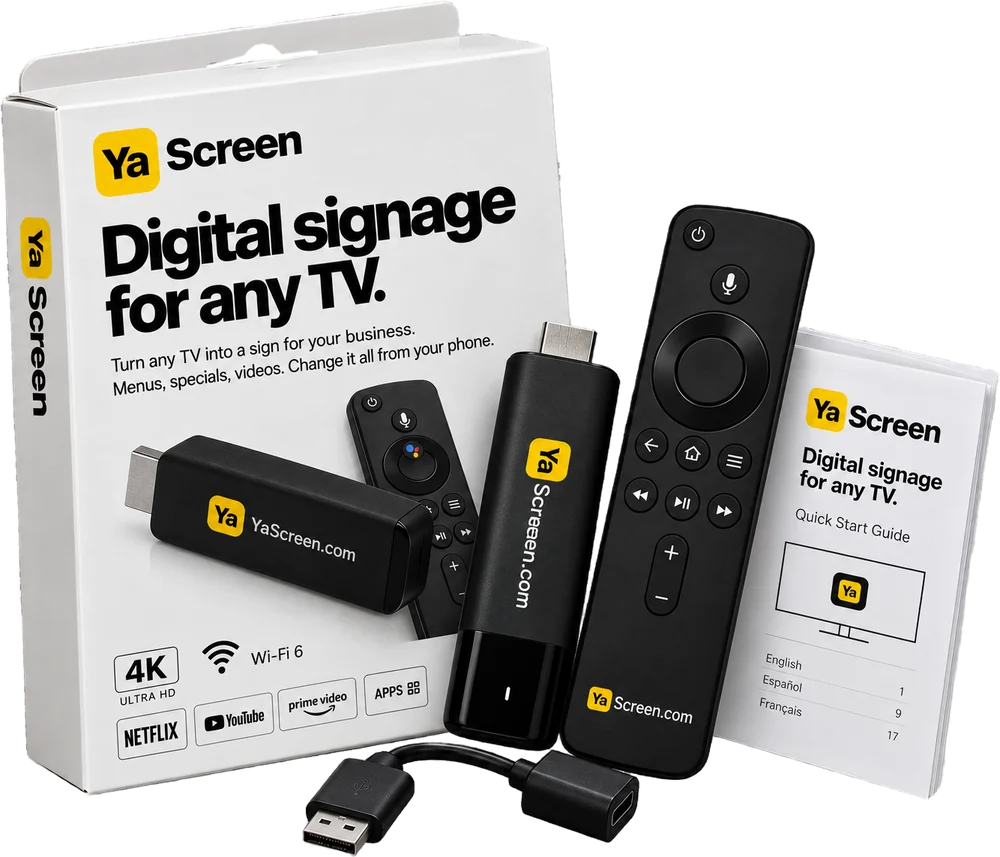
Preloaded Ya Screen player
Skip the IT ticket.
We ship a player with Ya Screen already installed. Any staff member can plug it into the lobby TV and pair it. No downloads, no developer settings, no waiting until summer.
Cheap. Simple. Sharp. Ya.
The cheapest way we know to put a real sign on a TV, and it still looks like a million bucks.
$0 software, 10 screens
Free with every feature. Then $52 a month for 10 screens, or $6.49 for each one after.
Runs off the TV’s USB
The Ya Screen player powers from the TV’s USB port on most TVs. No outlet, no power strip, no cord across the floor.
Smaller than a candy bar
No PC, no media box, no server closet. One stick hides behind the TV.
Install it or buy it
Install free on a Fire TV Stick or Android TV, or get one preloaded for $99.99. Your call.
4K, if you’ve got it
Upload 4K pictures and videos and they play crisp on a 4K TV. Short loops look great on every plan. Free takes videos up to 25MB and Basic up to 30MB; bigger 4K files need Pro.
Videos and pictures
MP4 videos, JPGs and PNGs, even web pages. Mix them in one playlist.
Upload it yourself
Drag in your files from a phone or computer. It’s on the TV in seconds.
Or have it managed
Rather not? Hagens Media can make your signs and keep them fresh for you.
Built for a whole campus.
Every building, one dashboard
Send to one screen, a group or every screen in the district at once.
Logins for each school
Give each office its own login so the middle school doesn’t overwrite the high school.
PIN lock
Students can’t poke around in the settings. We know. We were students too.
Fits a school budget
Free for 10 screens. Basic is $52 a month for 10 screens, then $6.49 each.
Questions? Ya, we got you.
How do schools use digital signage?
Can we send a message to every screen at once?
Can different staff manage their own screens?
Does it work on our existing TVs?
What does digital signage cost for a school?
What happens if the school network blocks something?
Ya Screen works for a lot of places.
If it has a TV, it can be a sign.
Make that TV earn its spot. Ya.
Start free with 10 screens. No card.